Are you looking for a specific CODA file or do you need an overview?
In MyCodabox you'll find a list of all available CODA files for all active accounts (and any sub-accounts) per company.
If necessary, you can immediately download the desired files (pdf and .cod file) or have them delivered to your software.
- Open the company in MyCodabox.
- Open the tab File List.
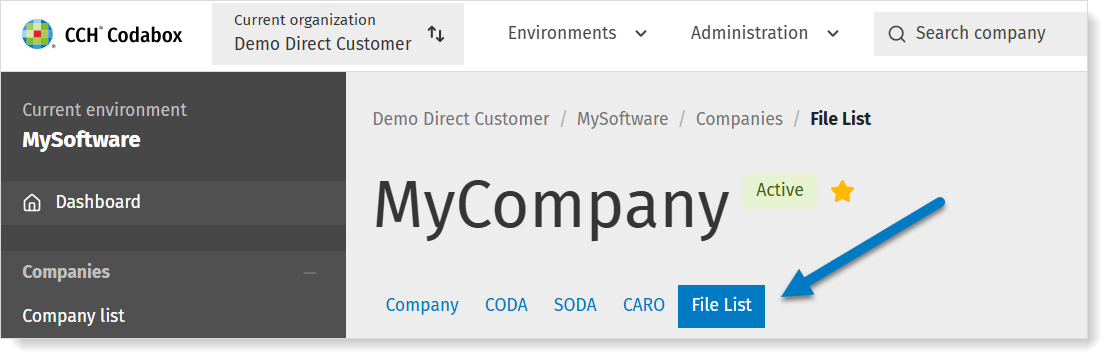
- You can filter and sort the list as you wish or search by CODA number or date range. The date you see is the statement date.
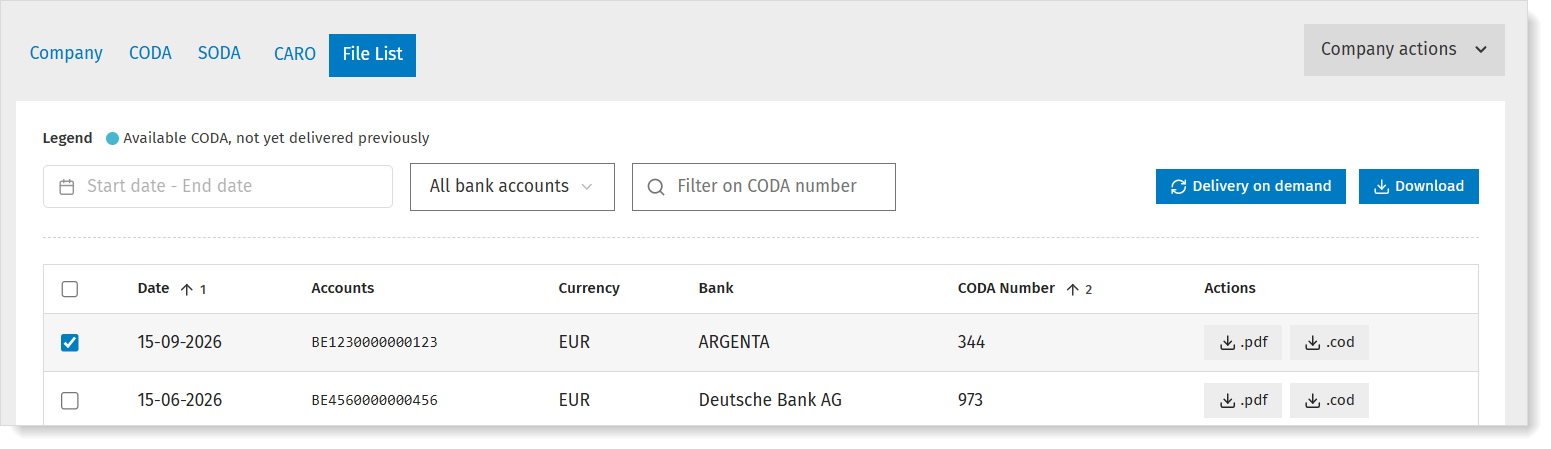
About the files
| Available but not (yet) received in your software | Does the file list show files that have not (yet) been delivered to your software? Be sure to check your software's synchronization. You can immediately download the files or have them delivered to your software. More info below. |
| Missing files | Is there no file in the list for a specific date? Perhaps there were no transactions, hence no CODA (we cannot fill these gaps) or the file has not (yet) been made available by the bank. ★ In many cases you can request historical CODA from the period before activation of the mandate. On the CODA tab, you'll see the status 'Historical CODA possible'. More info. |
| Historical CODA | Did you already request historical CODA? Those files will also appear in the list. You can recognize them by the '0' numbering. |
About the delivery/download
You can choose how to receive the files:
| Download a specific PDF file | In the column 'Actions', click the icon .pdf. The file is instantly downloaded. |
| Download a specific CODA file | In the column 'Actions', click the icon .cod. The file is instantly downloaded. |
| Receive multiple files | Select the desired rows in the left-most column of the overview. Choose how you wish to receive the files:
|