Requesting SODA via MyCodabox and exporting payroll entries via Belcofin |
- Your office obtains (or already has) a license for the SODA module in the Belcofin software.
- Your office requests SODA in MyCodabox for the concerned companies.
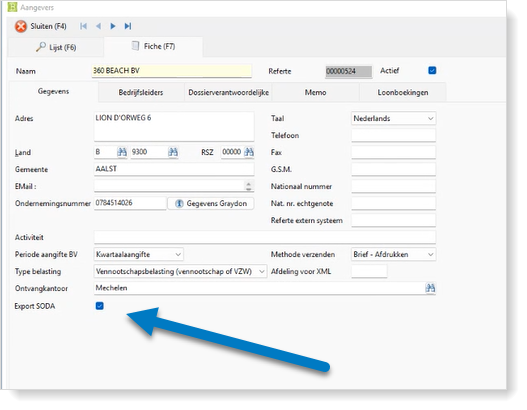
- For each company (declarant), your office selects the checkbox 'Export SODA' in the Belcofin software.
- Codabox sends LBRP (Belcofin software manager) the SODA requests, on a weekly basis.
- LBRP activates a mandate based on this .CSV file, so your office knows to which companies this mandate is linked.
- Once the SODA request has been processed by LBRP, your office does the synchronization via the step 'Soda' > 'Renew mandates' in Belcofin.
- Your office exports the salary entries in Belcofin via the step 'Soda' > 'Export payroll entries'.
The procedure to export to Codabox via your Belcofin software is available on the LBRP FAQ. - LBRP delivers the exported data to Codabox.
- Codabox converts this data into a SODA file and sends it to your office via the chosen delivery channel.