For every active account, you can retrieve the already available CODA files: you can have them redelivered to your software or download them via MyCodabox.
In many cases, Codabox offers two types of CODA:
- The CODA that the bank has already generated since the start of the bank mandate (with a limit of up to 2 years in the past).
- CODA via open banking: in many cases, you can retrieve the missing bank history from the period prior to the activation of the mandate (no fees apply). If you’ve requested this via the Request Historical CODA button in MyCodabox, you can easily find the files in the File List, identified by the number '0'.
There are two ways to get the available CODA:
Do you want to quickly request all files from a long period of time for a specific company? Do you want to quickly see the time period (from-to) for which files are available? | Use the button 'Delivery on demand'. Via the left menu 'CODA' or via the CODA tab of the company in question. |
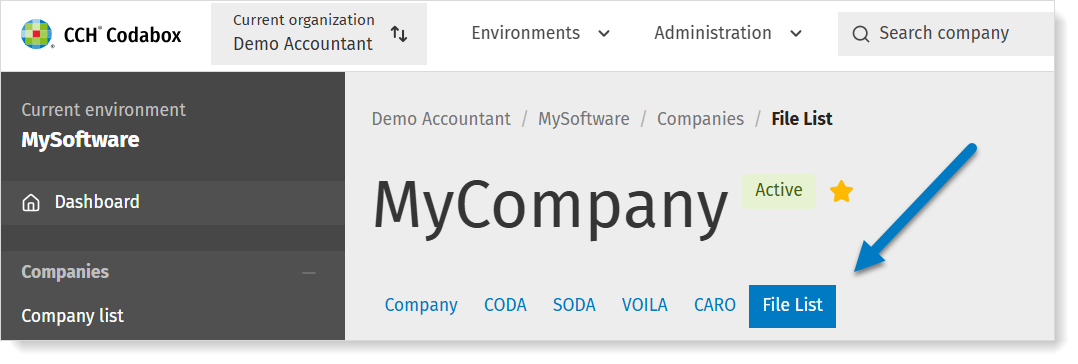
| Are you looking for a specific file from a specific bank account? Are you specifically looking for historical CODA? | Use the File List. Click here for more info.
You can identify historical CODA by the '0' numbering. Have you already requested Historical CODA, but don’t see any 0-numbers yet? Perhaps the account holder hasn’t given permission yet: go to Mandates & Services > CODA. Click the Historical CODA button in the top right corner. Check the status and refer to our troubleshooting guide. |

Delivery on demand |
- In MyCodabox, go to Mandates & Services > CODA.
- Find the company in the list.
(Can't find the company? Click here for more info on navigating between organizations/environments.) - In the rightmost column, under 'Actions', click Delivery on demand.
 A pop-up opens. See below.
Which dates/period?
The screen shows a calendar field and the date of the first and last available CODA file.
Open the calendar to view the period. Files that have not yet been delivered, are marked in the calendar with a light blue dot.
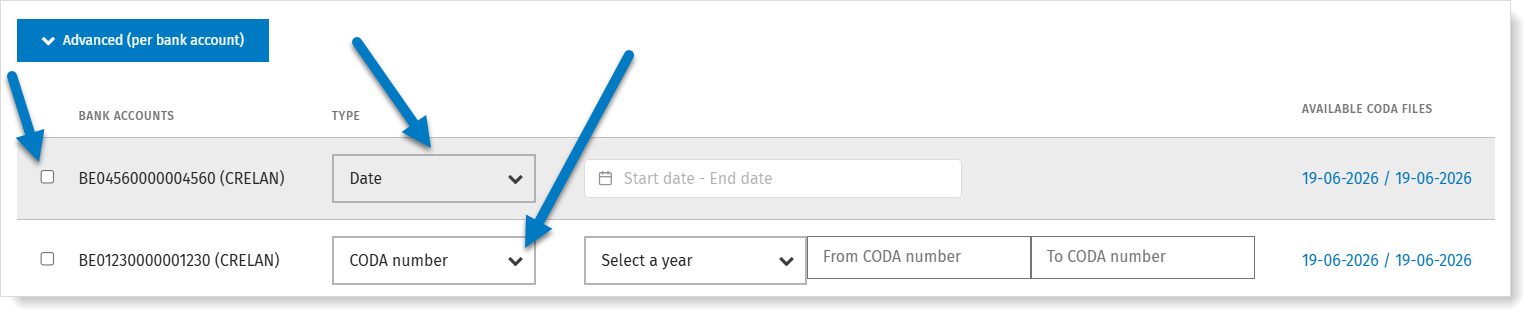
➜ Select the entire available period or another date range within this period. You can also select a separate period per bank account.
The gray drop-down tables give you more information about the options and limitations.
★ Do you see certain dates within the available range in the calendar that you cannot select? We cannot fill these gaps. Perhaps there were no transactions.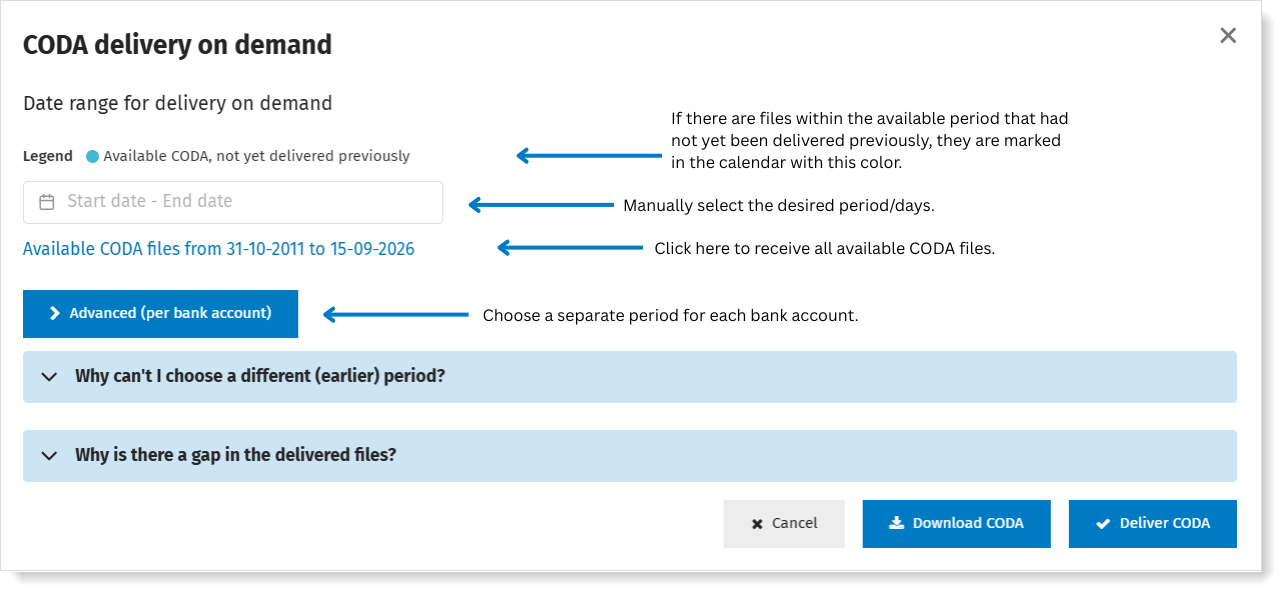
Do you want to use the option 'Advanced (per bank account)? Click here for more instructions
Delivery or download
Once you have made your selection, click Download CODA or Deliver CODA.
- Download CODA: You will immediately find the files on the download location that is configured via your browser.
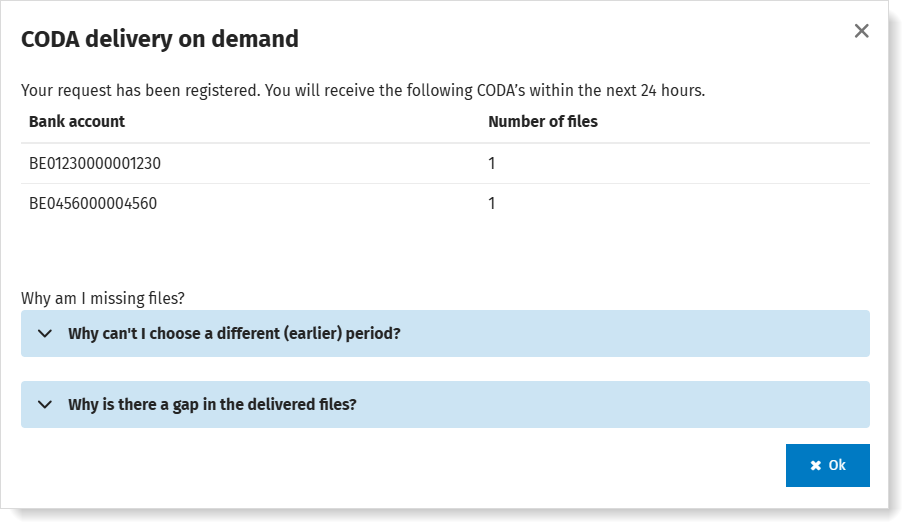
- Deliver CODA: You will receive the files within 24 hours via your daily delivery method. You will immediately see how many files you will receive, per bank account (if your software does not support this, you will not see this option in MyCodabox):